graph TD base["robot-factory-base.png"] --> day["robot-factory-day.png"] day --> day-hadley["robot-factory-day-hadley.png"] day --> night["robot-factory-night.png"] night --> night-hadley["robot-factory-night-hadley.png"] night --> night-sunrise["robot-factory-night-sunrise.png"]
Sometimes you don’t want a set of independent images — you want a series of images that build on one another, like the panels of a story. bananarama supports this with sequence: each step generates a new image by editing the previous step. This greatly improves consistency, but YMMV; current models are still not great at this. (But, at least as of Sept 2026, GPT models seemed to do better than Gemini models.)
YAML syntax
To create a chain of images that build on one another, use a sequence instead of description. The top-level sequence is a chain: each step edits the previous step’s output, and every intermediate is saved as a file:
defaults:
  model: gpt-image-2.5-flare

images:
  - name: robot-factory
    sequence:
      - name: base
        description: Draw a factory full of robots typing at computers.
      - name: hadley
        description: Add [hadley] overseeing the scene from a catwalk.
      - name: night
        description: Make it night time, with the robots' screens glowing.
This generates robot-factory-base.png, robot-factory-hadley.png, and robot-factory-night.png, each building on the previous file.
Branching
A step may itself contain images: independent continuations that each build on the step’s image, not on each other. (Just like the top-level images field, siblings are independent.) sequence and images can be nested arbitrarily: a sequence inside images gives a chain within a branch, and images inside a sequence step gives branches off that step.
Here’s a simple example:
images:
  - name: robot-factory
    sequence:
      - name: base
        description: Draw a factory full of robots typing at computers.
      - name: day
        description: Make it a bright sunny day.
        images:
          - name: hadley
            description: Add [hadley] on the catwalk.
      - name: night
        description: Make it night time.
        images:
          - name: hadley
            description: Add [hadley] on the catwalk, screens glowing.
          - name: sunrise
            description: The sun starts to rise on the horizon.
This will generate the following six files:
Every step is cached independently, so you can iterate on later steps without paying to regenerate earlier ones. Delete a step’s file and re-run, and only that step is regenerated — the rest of the files are reused as-is.
Example: telling a story
This example tells a short story across a sequence of images. Because it uses a sequence we don’t need to anchor with a reference image to make the main character look the same in every panel. (But if we were to regenerate all the images, we’d get a different robot.)
defaults:
  model: gpt-image-2.5-flare
  style: >
    Chunky gouache illustration with opaque matte colors, visible brushwork,
    bold simplified shapes, and a mid-century children's book feel

images:
  - name: robot-story
    sequence:
      - name: meadow
        description: >
          A quiet meadow with rolling green hills and a single winding
          dirt path under a blue sky.
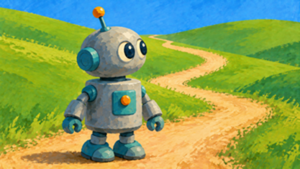
      - name: robot
        description: >
          Add a small curious robot, standing on the path near the front of the
          frame and looking around at the hills.
      - name: zoom
        description: >
          Zoom in on the robot,
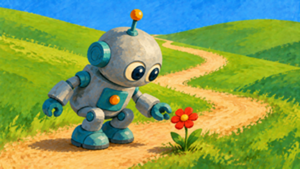
      - name: flower
        description: >
          The robot discovers a single bright red flower growing beside the
          path and bends down to look at it.
        images:
          - name: careful
            description: >
              The robot carefully picks the flower and holds it up towards
              the sky. The robot looks happy.
          - name: stomp
            description: >
              The robot stomps on the flower. The robot looks angry.
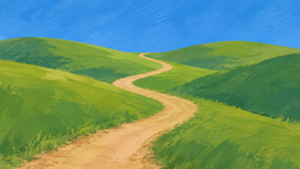
First we establish the scene:
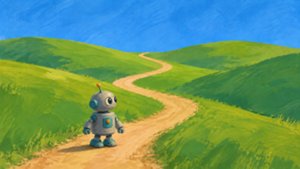
Then introduce the main character:
Now we zoom in, preserving the existing imagery:
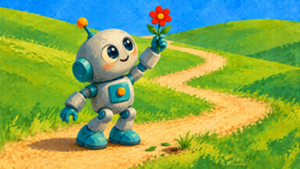
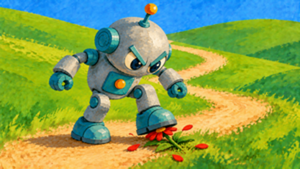
Then the robot finds a flower.
The last step has nested images, generating two alternative endings: